Bus Servo Integration with Inovance H5U and AutoShop
This guide explains how to integrate Fashion Star bus servos with an Inovance H5U PLC using AutoShop. It covers cabinet wiring, UC04 and RS-485 connections, PLC configuration, and function block usage.
1. Wiring Instructions
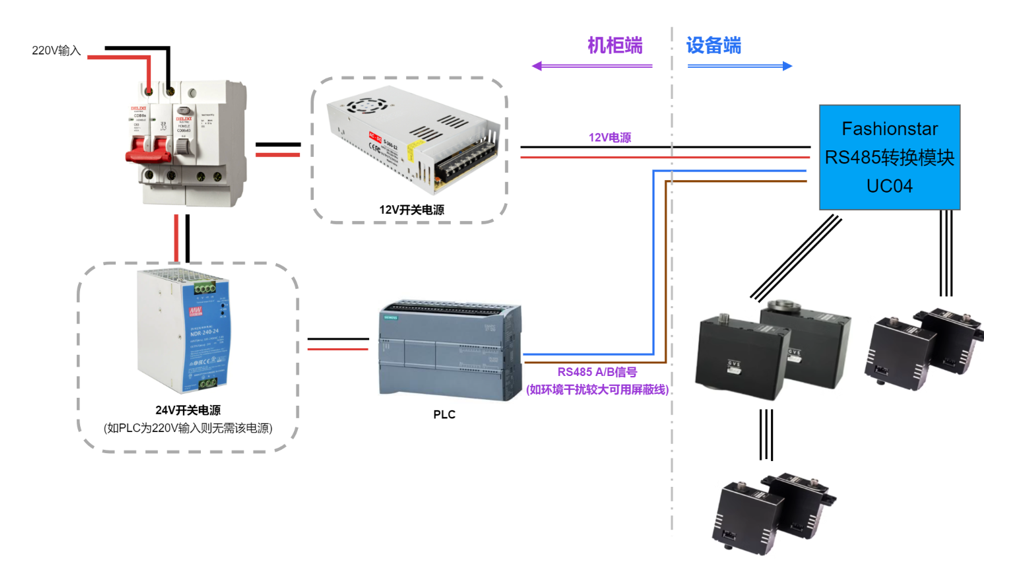
1.1 Cabinet Wiring
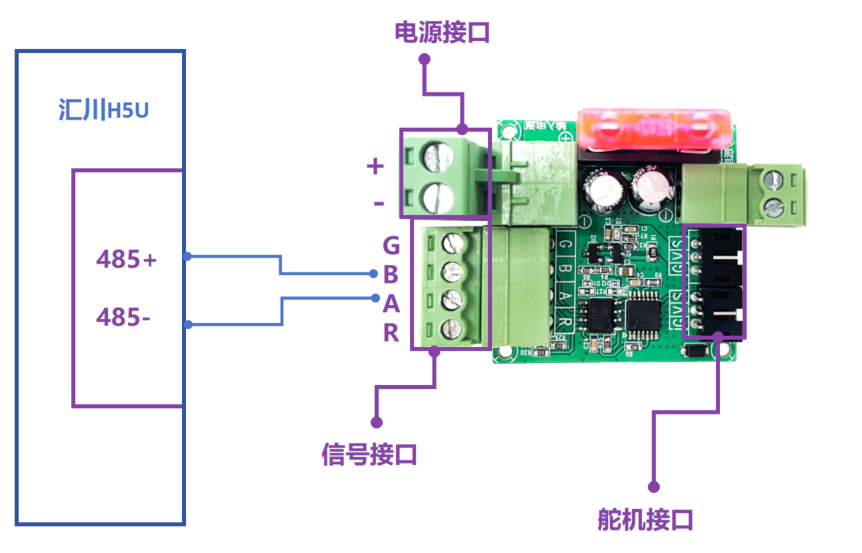
1.2 PLC-UC04-UART Servo Wiring
| RS-485+ |
UC04_B |
| RS-485- |
UC04_A |
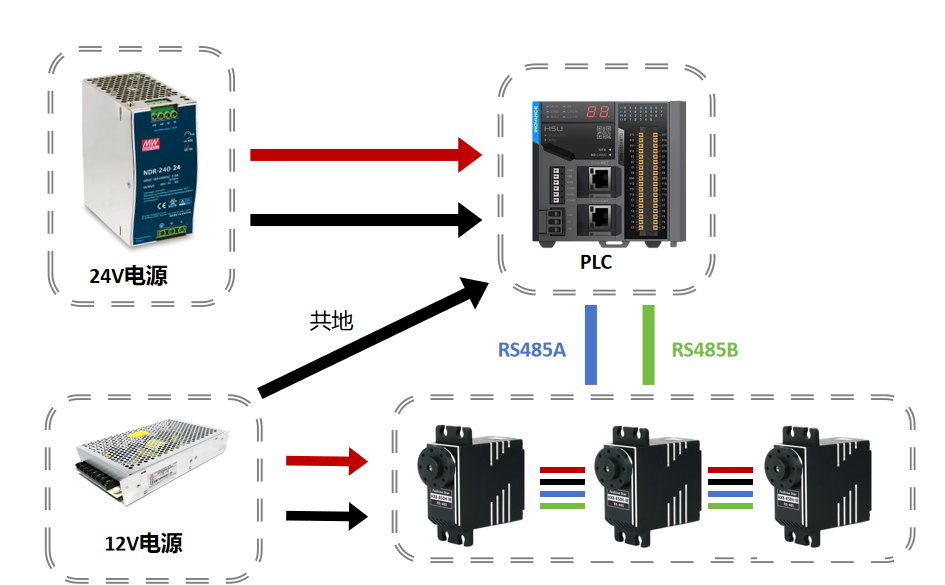
1.3 RS-485 Servo Wiring
| PLC-A |
RS-485 Servo-A |
| PLC-B |
RS-485 Servo-B |
| Power+ |
RS-485 Servo+ |
| Power- (must share GND with PLC) |
RS-485 Servo- |
2. Program Instructions
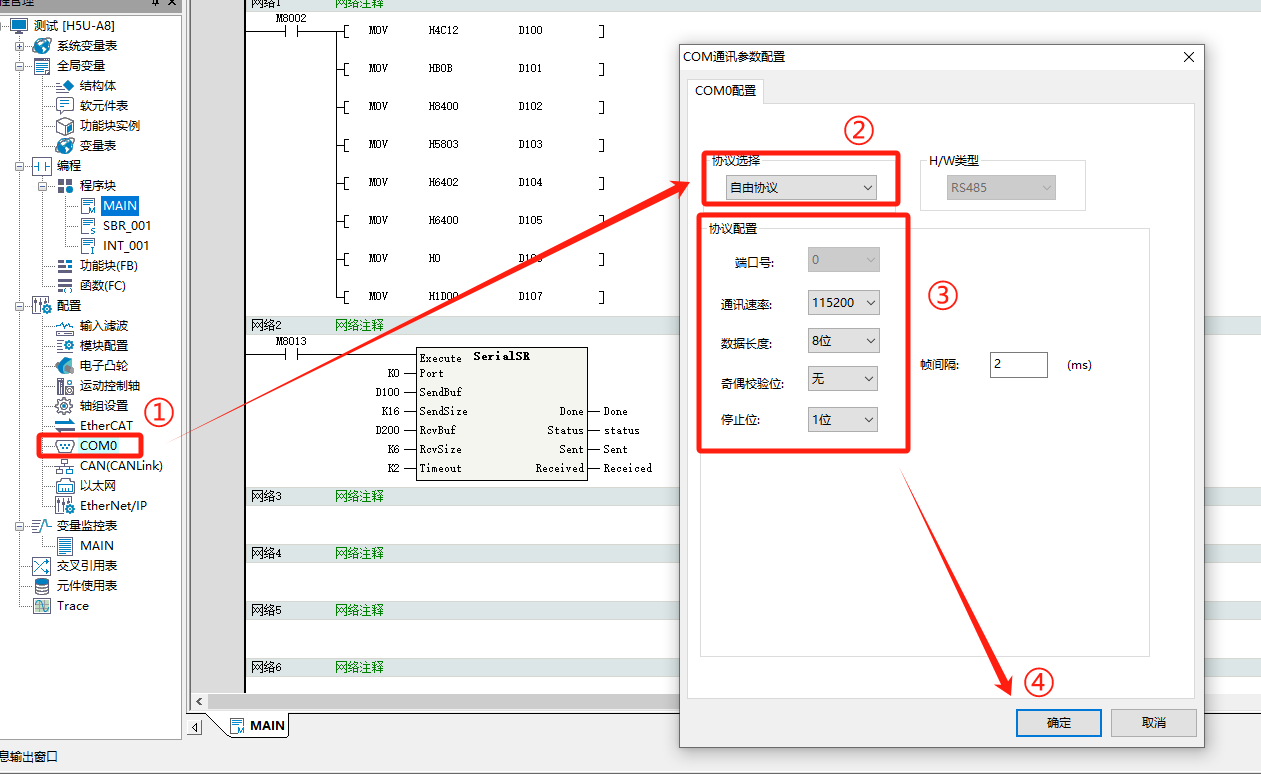
2.1 Configuration Setup (Software: AutoShop)
- Configure communication parameters on COM0.
- Protocol: Free Protocol.
- Baud rate: 115200.
- Data length: 8 bits.
- Parity: None.
- Stop bit: 1 bit.
2.2 FB Library Usage
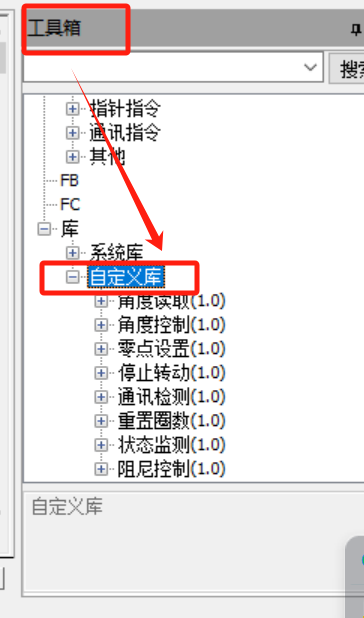
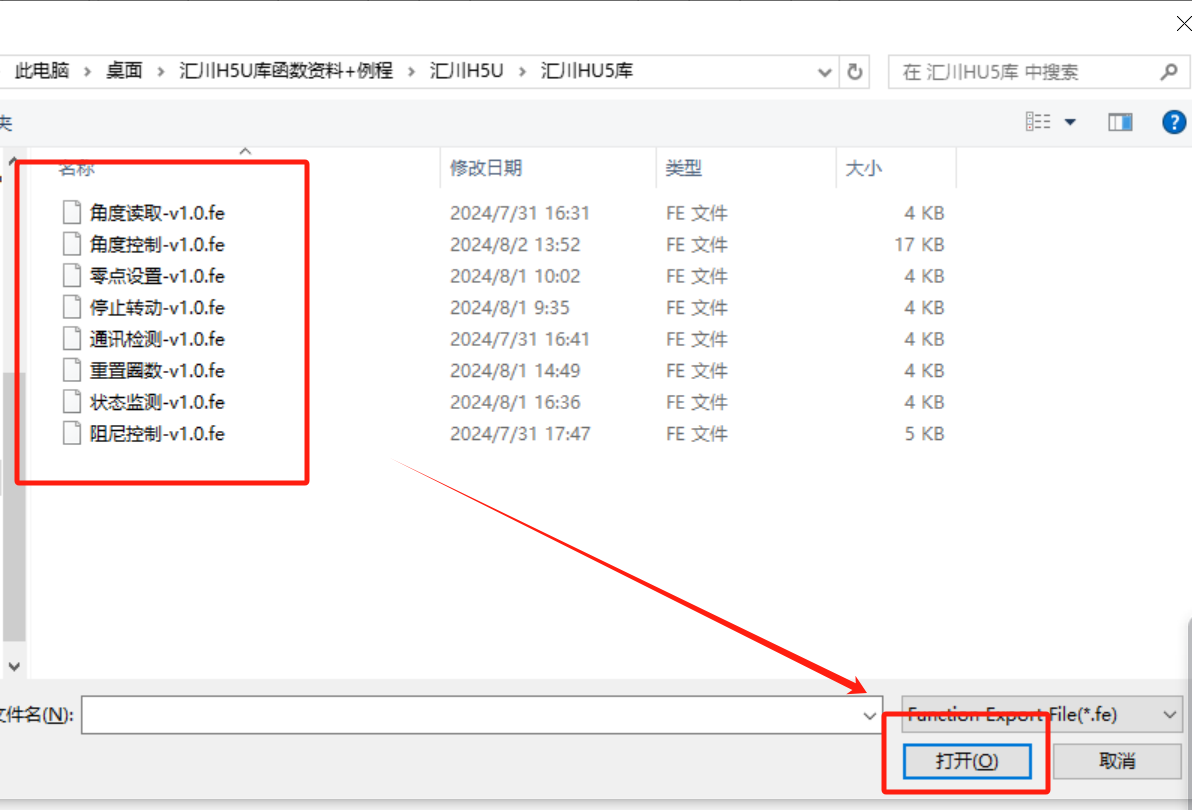
- 1. In AutoShop Toolbox, right-click Custom Library and import all FB libraries.
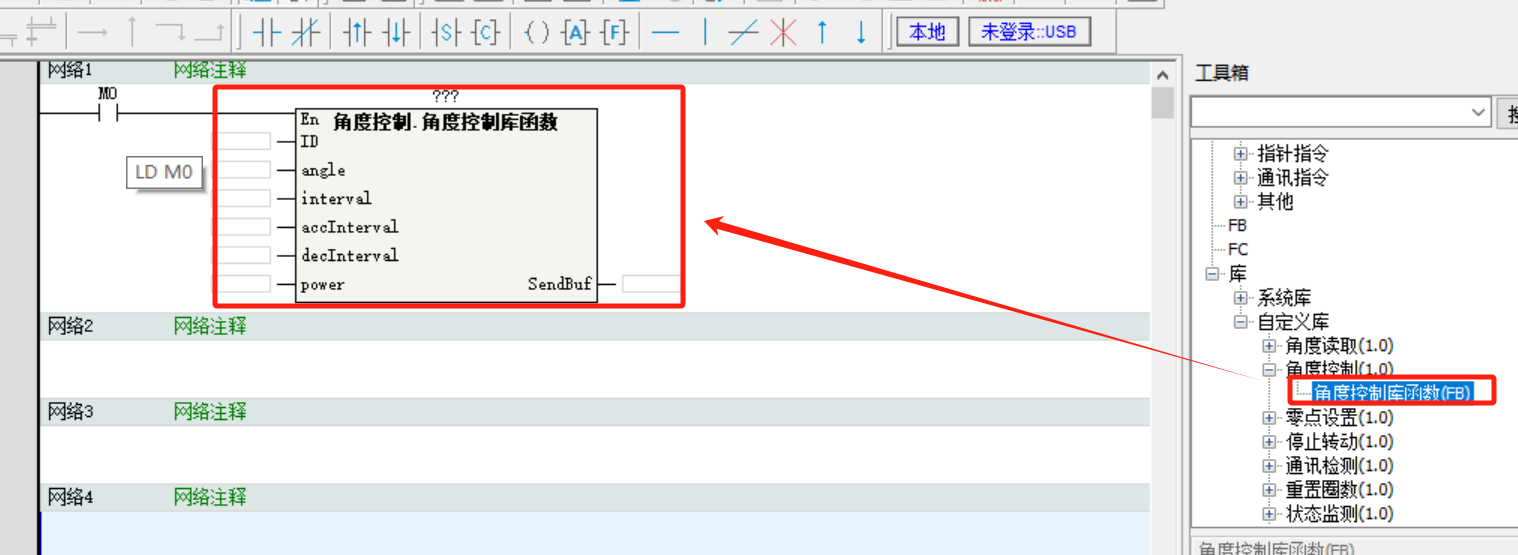
- 2. Double-click the required FB library and place the FB block into the network.
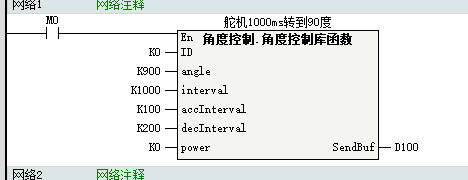
- 3. Fill in parameters. FB command parameters:
- 4. ID: servo ID
- 5. angle: target servo angle, unit 0.1° (for 90°, set 900)
- 6. interval: time for servo to reach target angle, unit ms
- 7. accInterval: acceleration time, unit ms
- 8. decInterval: deceleration time, unit ms
- 9. power: servo output power, unit mW
- 10. SendBuf: register address used to store commands (INT type)
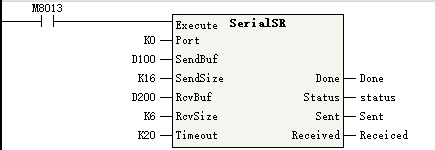
- 11. After writing parameters, use the SerialSR instruction to send data from port 0.
- 12. Port: port number
- 13. SendBuf: send data buffer (first register written by MOV)
- 14. SendSize: send byte count, 0-256
- 15. RcvBuf: receive buffer
- 16. RcvSize: receive byte count, 0-256
- 17. Timeout: receive timeout, 20-30000 (ms)
- 18. Done: completion flag*
- 19. Status: instruction running status*
- 20. Sent: bytes sent*
- 21. Received: bytes received*
Note: parameters marked with * are optional. If not set, default behavior is used or no output is generated.